This website would like to use analytics cookies. These send information about how our site is used to a service called Google Analytics. We use this information to improve our site.
Our new digital service will launch on Monday, 16 February 2026. The service will be replacing PATCHS.
Using our new Paco GP Blinx online service is simple and doesn’t require any passwords or accounts. Follow these easy steps to access our services online.
Step 1: Access Paco GP Blinx
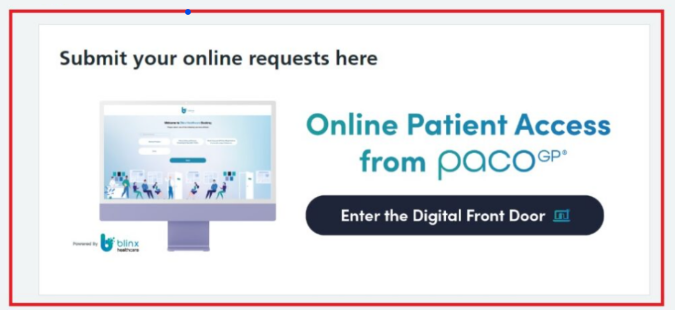
Visit our practice website, The Villa Medical Centre and click the “Enter the Digital Front Door” button on the homepage (From 16th February)
Step 2: The Digital Front Door
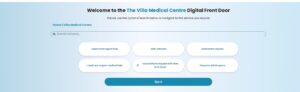
Introducing our new Digital Front Door
Our Digital Front Door is now the main way to contact the practice online
You’re always welcome to contact the practice by telephone for appointments and questions. If you prefer, our digital front door also has a number of useful features listed below that can be accessed easily, without needing to call us
It gives you quick and easy access to a wide range of services, including:
Self-Booking Referral Forms,
I need more urgent help
I would like to request a fit/ Sick note
Medication requests
I need non-emergency medical help
I have an admin query
More self-booking options will be added to our Digital Front Door in the next few months
💙 Don’t worry — our new digital front door includes clear pop-ups and guidance messages to help you use the service with confidence.
♿🌍 We’ve thought about accessibility too. — Our digital front door is designed with accessibility in mind. You can change the text size and choose different languages to suit your needs, as well as many other accessibility features:
If you have any accessibility requirements, for example,e larger text, require to see our front door in a different language etc, the front door can be changed to accommodate your preference.
The accessibility button is the blue person icon in the bottom left-hand corner. Please click on this if you require this option, as this will launch the accessibility menu.
The accessibility menu has lots of features that can help patients if they require this option.
Step 3: Enter Your Details
You’ll see a simple form asking for your basic details:
Date of birth
NHS Number
Important: These details must match exactly what we have on your medical record.
Step 4: Complete Your Request
You’ll then be guided through a simple form designed specifically for your type of request.
For Medical Requests click on “I need non-emergency medical help”
Tell us about your symptoms or concerns
Answer some simple questions about your health
Provide any relevant background information
For Administrative Requests:
Select exactly what you need
Provide any necessary details
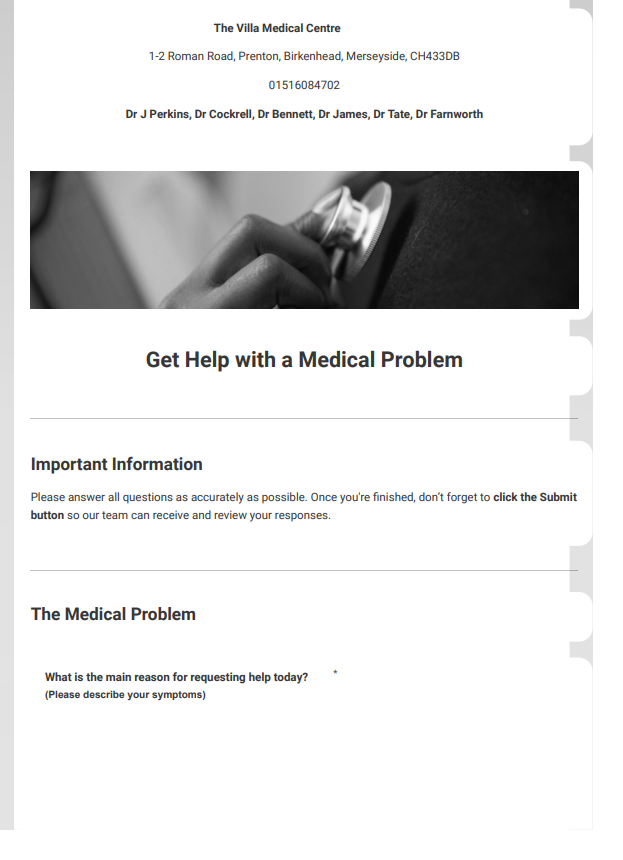
Example of a health form for Online Consultation: General Medical Problem below:
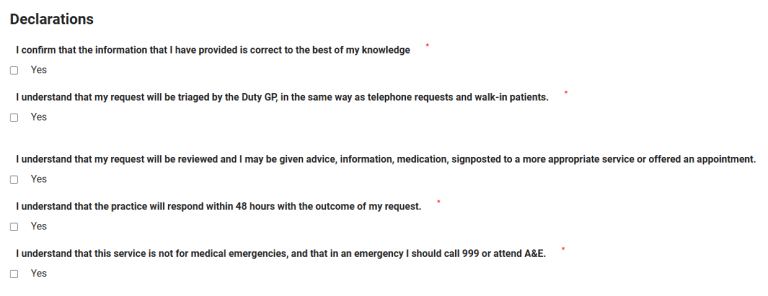
You will need to answer some declarations on certain health forms:
Step 5: Submit and Receive Confirmation
After completing your form:
Review your information
Click “Submit Request”
You’ll receive an on-screen confirmation
Our team will review and respond to you within 48 hours
Important Information
Key Tips for Success
✅ Do This:
Only use the correct health form for your type of request
Provide complete and accurate information
Answer all required questions
Double-check your contact details
❌ Avoid This:
Don’t use medical forms for administrative requests or vice versa
Don’t submit the same request multiple times
Don’t leave required fields blank
What Happens Next?
⏱️ You have 30 minutes to complete and submit a health form.
If the form is not submitted within this time, your information will be lost, and you will need to start again.
Your request will be triaged by the Duty GP,
⏳ The practice will respond within 48 hours with the outcome of your request.
The outcome may include:
A GP or clinician response
An appointment (face-to-face or telephone)
Signposting to other services or community services where appropriate
Common Questions:
Q: Do I need to create an account?
A: No, Just enter your date of birth and NHS number each time you use the service. Blinx will help you to find your NHS number if you don’t have it.
Q: Can I use this on my phone?
A: Yes, Blinx works on smartphones, tablets, and computers.
Q: What if I make a mistake?
A: You can press the back button to return to the previous menu and select the correct option.
Still trying to access Patchs?
Important: Patches will no longer be available after Friday, 13th Feb. Please use only Blinx for all online requests.